
One Inbox
One inbox. Every enquiry.
Website chat, WhatsApp, Instagram, Messenger, email and calls, all in one place. See every reply the AI sent, step in whenever you like, and know exactly which enquiries still need you.
Every channel lands in the same inbox
- Website chat
 WhatsApp
 Instagram
 Messenger
 Lead forms
 Gmail
 Outlook
- AI Phone calls
- Text messages
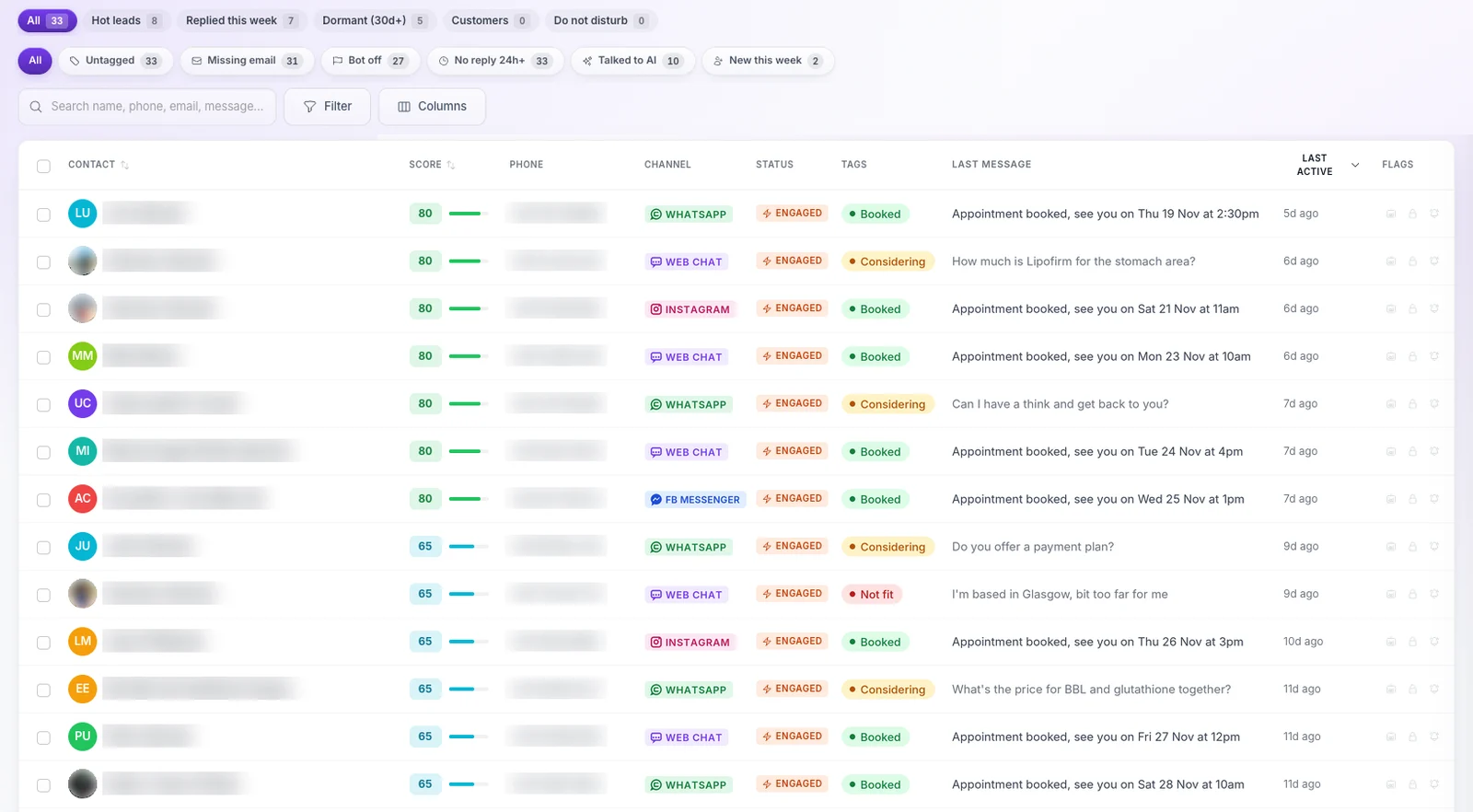
Conversations
See what the AI said. Step in whenever you like.
Every reply is there in full, in the order it happened. When you want to take over, reply yourself. The AI pauses for that conversation the moment your team sends a message, and stays paused until you switch it back on. The patient never notices the handover.
- The AI answers in your clinic's voice, from your own information
- The AI pauses as soon as your team replies
- Your replies are marked "You", so everyone knows who said what
- Call transcripts and voice notes sit in the same thread

Across channels
Switches channel. Keeps the conversation.
Patients don't stick to one channel. If someone starts on your website chat and messages on WhatsApp later, Hivety recognises them from the phone number or email address they gave, and carries on the same conversation. The AI picks up where it left off, so they never have to repeat themselves.
- Recognised by phone number and email address
- The whole history in one thread, whichever channel they use
- Merge contacts yourself when someone uses different details
Sophie · one conversation
Website chat · Monday 9.14pm
Patient: Hi, how much is anti-wrinkle for the forehead?
Clinic: Hi. Anti-wrinkle starts from £180 for one area, and the forehead is one area. What's the best mobile number to reach you on?
Patient: 07700 900123
WhatsApp · Wednesday 8.02amRecognised by phone number
Patient: Hi, it's me from your website chat. Still thinking about the forehead
Clinic: Hi Sophie, good to hear from you. Dr Patel has Friday at 5pm for the forehead. Shall I book it?
Patient: Yes please
Dashboard
Know what's working, at a glance.
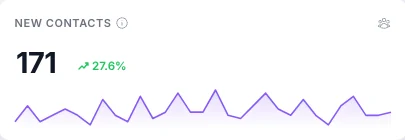
See how many enquiries came in, how many got a reply and how many turned into conversations, day by day. The inbox panel shows what needs attention right now.
- Messages, replies and new contacts over time
- A funnel from first message to reply
- What needs your attention and what's waiting for a reply


Outcomes
See exactly what the AI handled.
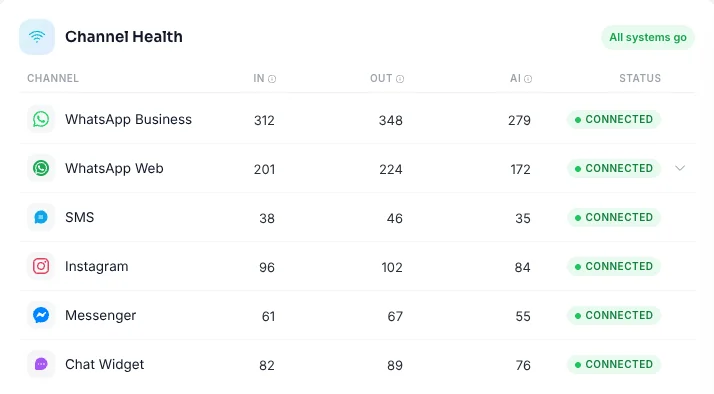
Find out how many conversations the AI resolved on its own, how many it handed to your team, and which questions it couldn't answer, so you can fill the gaps.
- Resolved without a human, and escalated to your team
- Questions the AI couldn't answer, ready to add to its knowledge
- Every channel's activity, and AI versus team replies

Deals
Every enquiry becomes a booking you can track.
Enquiries move through a simple pipeline, from new enquiry to booked appointment, with the treatment and value on each card. You can see what's likely to book this month, and who's gone quiet.
- From new enquiry to booked, at a glance
- Treatment and value on every card
- Spot who's gone quiet and follow them up



Tasks
Follow-ups that don't slip through the cracks.
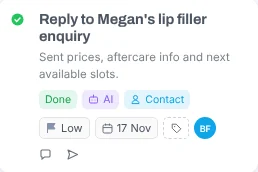
When a conversation needs something from your team, like sending a form or confirming a booking, it becomes a task. Some are created by the AI from the conversation itself.
- Tasks created from conversations, some by the AI
- Due dates, priority and who's on it
- See what's to do, in progress, waiting and done

On your phone
Your inbox, in your pocket
No app to download. Open Hivety on your phone, add it to your home screen, and it opens like an app, so you can check in from anywhere.
- Add to your home screen in seconds
- Reply to any conversation
- Check your numbers on the go
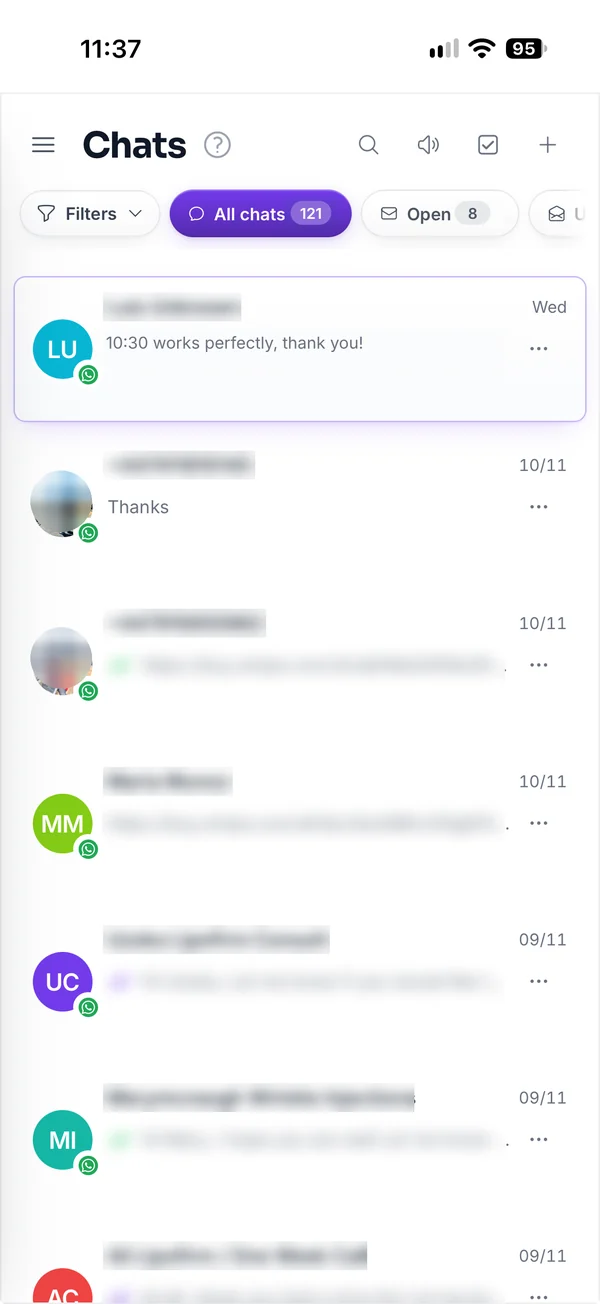

Screens shown with example data. Patient details are blurred.
Questions about the inbox
Do I need to download an app?
No. Hivety runs in your browser. On your phone, open it once and add it to your home screen, and it opens like an app.
What happens when my team replies?
The AI pauses for that conversation as soon as someone from your team sends a message, so it never talks over you. It stays paused until you switch it back on for that conversation.
What if a patient messages on more than one channel?
Hivety recognises them from the phone number or email address they've given, and keeps everything in one conversation. If someone uses different details, your team can merge the two contacts by hand.
Can my whole team use the inbox?
Yes. Your team works from the same inbox, so everyone can see every conversation and who replied.
Are phone calls in the inbox too?
Yes. Each AI Phone call is saved as a written transcript in that patient's conversation. No audio is kept.
How do I know when something needs me?
Anything the AI hands over is marked as needing attention, and you're alerted, so it never sits unseen.
Is each clinic's data kept separate?
Yes. Each clinic can only ever see its own conversations and patient data.
See your own inbox in it.
Book a 30-minute call and we'll show you the inbox with a demo built on your own website.